The Data Engineering Adventure Guide 🗺️
Welcome to your data engineering journey! Let's explore the essential tools that will help you build amazing data applications.
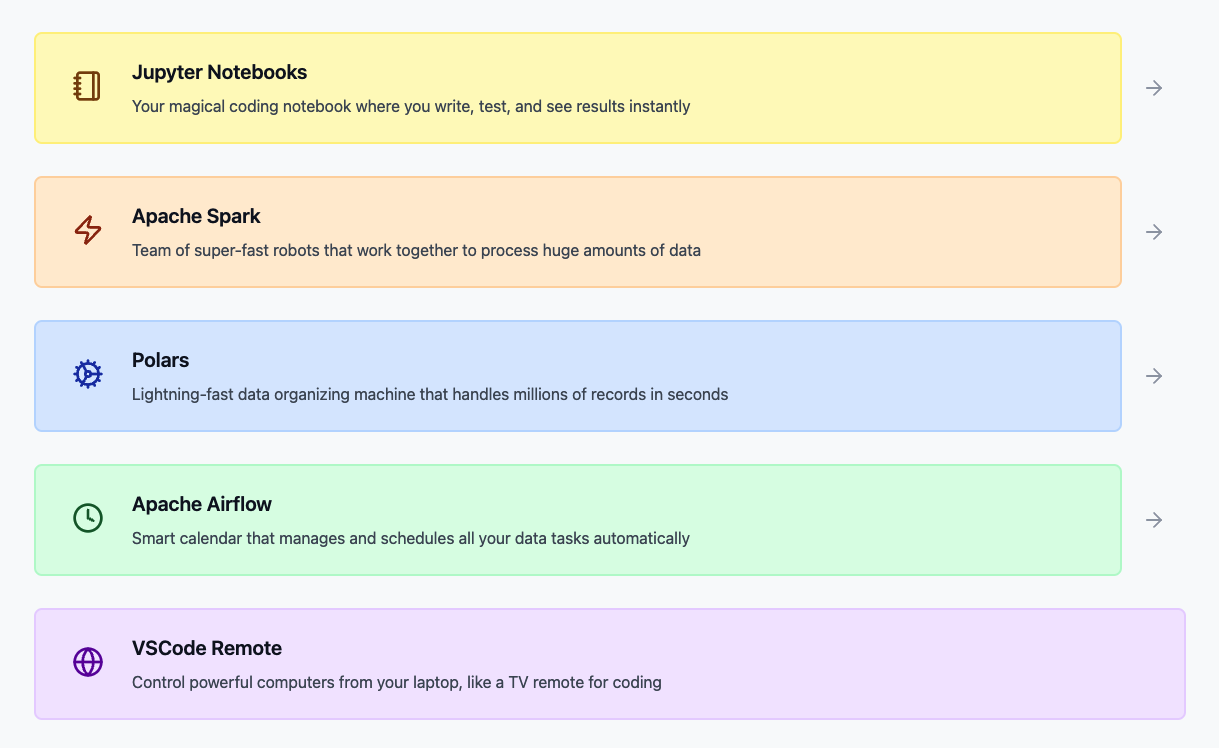
Your Data Engineering Toolkit 🧰
1. Jupyter Notebooks - Your Digital Lab 🔬
Think of it as your experimentation lab where you can:
- Test your ideas instantly
- See results right away
- Add notes to remember your insights
- Share your discoveries with teammates
2. Polars - Your Speed Machine 🏃♂️
When you need to move fast with smaller datasets:
- Lightning-fast data reading
- Quick transformations
- Perfect for initial data exploration
- Great for testing your ideas
3. Apache Spark - Your Heavy Lifter 💪
When you need serious muscle for big data:
- Handles massive datasets
- Distributes work across many computers
- Perfect for production-scale processing
4. Apache Airflow - Your Orchestra Conductor 🎭
Makes sure everything runs smoothly:
- Schedules all your tasks
- Manages dependencies
- Handles retries if something fails
- Keeps everything organized
Let's Build Something! 🚀
Let's see how these tools work together in a real example:
- 1. Jupyter Exploration
- 1. Scale Up with Spark 🚀
- 3. Create Reusable Functions 🏭
- 4. Orchestrate with Airflow 🎭
# In HotTechStack's Jupyter Environment
import polars as pl

# Let's read some weather data
weather_data = pl.read_csv("weather_data.csv")

print("Here's what our weather data looks like:")
print(weather_data.head())

# Quick stats about temperature
temp_stats = weather_data.select([
    pl.col("temperature").mean().alias("avg_temp"),
    pl.col("temperature").max().alias("max_temp"),
    pl.col("temperature").min().alias("min_temp")
])

print("\nQuick Temperature Stats:")
print(temp_stats)
# Same Jupyter notebook, but now let's use Spark for bigger data
from pyspark.sql import SparkSession

# Initialize Spark (pre-configured in HotTechStack)
spark = SparkSession.builder.getOrCreate()

# Convert our Polars DataFrame to Spark
# Why? Because we're going to process ALL historical weather data!
spark_weather = spark.createDataFrame(weather_data.to_pandas())

# Group by city and calculate averages
city_stats = spark_weather.groupBy("city") \
    .agg({"temperature": "avg", "humidity": "avg"}) \
    .orderBy("city")

print("City-wise Weather Stats:")
city_stats.show()
# Create a file called weather_processing.py
def process_weather_data(date):
    """Process weather data for a specific date"""
    import polars as pl
    from pyspark.sql import SparkSession

    # Start with fast Polars processing for initial cleanup
    df = pl.read_csv(f"weather_{date}.csv")
    df = df.drop_nulls()

    # Switch to Spark for heavy computations
    spark = SparkSession.builder.getOrCreate()
    spark_df = spark.createDataFrame(df.to_pandas())

    # Perform complex aggregations
    results = spark_df.groupBy("city", "region") \
        .agg({"temperature": "avg", "humidity": "avg"})

    return results
# Create a file called weather_processing.py
# In HotTechStack's Airflow environment
# Create weather_dag.py

from airflow import DAG
from airflow.operators.python_operator import PythonOperator
from datetime import datetime, timedelta
from weather_processing import process_weather_data

dag = DAG(
    'weather_pipeline',
    start_date=datetime(2024, 1, 1),
    schedule_interval='@daily'
)

def save_results(results):
    """Save processed results"""
    results.write.csv("processed_weather.csv")

# Create tasks
process_task = PythonOperator(
    task_id='process_weather',
    python_callable=process_weather_data,
    op_kwargs={'date': '{{ ds }}'},  # Airflow will provide the date
    dag=dag
)

save_task = PythonOperator(
    task_id='save_results',
    python_callable=save_results,
    dag=dag
)

# Set task order
process_task >> save_task
Why This Approach Works 🎯
-
Start Small, Think Big
- Begin with Jupyter for quick tests
- Scale up with Spark when needed
- Automate everything with Airflow
-
Development Flow
Jupyter (experiment) → Spark (scale) → Airflow (automate) -
Best Practices
- Test everything in Jupyter first
- Use Polars for quick iterations
- Switch to Spark for big data
- Automate with Airflow
Ready to start your journey? Let's dive in! 🚀